
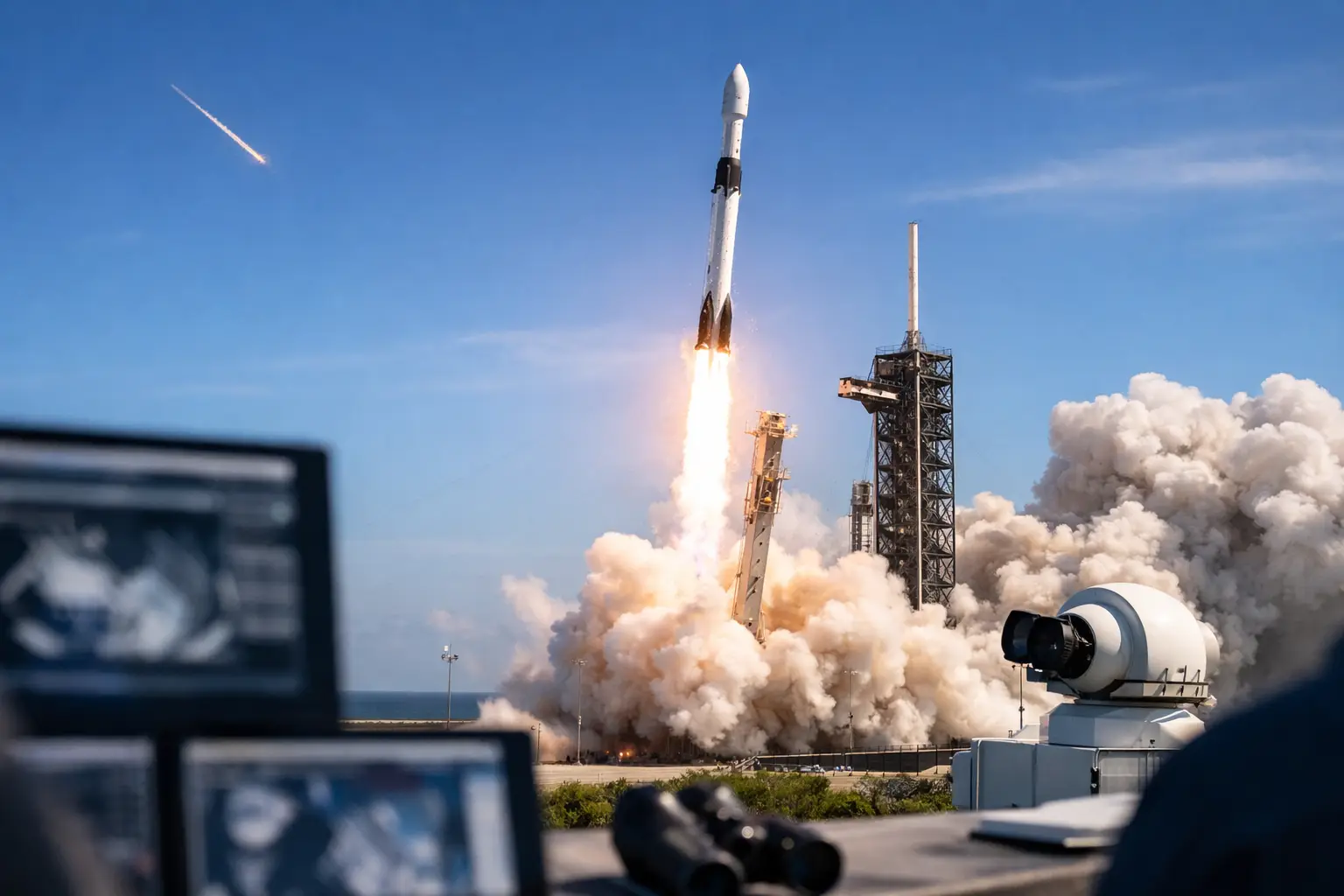
A Falcon 9 launch tracker is at its best in the final 15 minutes before T-0, when the mission shifts from a scheduled event on a calendar to a live chain of milestones measured in seconds, kilometers, and kilometers per hour. For space fans in the US, that is the difference between casually knowing a launch is happening and actually following engine chill, liftoff, stage separation, fairing deployment, and booster landing with confidence.
| Falcon 9 mission tracker field | Typical value | Unit | Why it matters |
|---|---|---|---|
| Launch window length | Instantaneous to 240 | minutes | Tells you whether a scrub means hours of waiting or an immediate recycle |
| Booster landing distance downrange | 0 to 660 | km | Shows whether the first stage returns to land or lands on a droneship |
| LEO insertion altitude | 200 to 550 | km | Helps explain mission profile for Starlink, crew, or rideshare payloads |
| Liftoff velocity at MECO | 6,000 to 8,000 | km/h | Gives context for how fast the first stage accelerates before shutdown |
The reason this matters is simple. Falcon 9 launches move fast, but they are not all the same. A Starlink mission from Cape Canaveral may send the booster to a droneship hundreds of kilometers offshore, while a cargo or crew mission to low Earth orbit can follow a different timing profile. If your tracker only shows a countdown clock, you miss the story unfolding after ignition.
What a falcon 9 launch tracker should actually show
A useful tracker starts with the scheduled launch time in UTC and local time. That sounds basic, but it saves a lot of confusion when a launch is listed for 01:35 UTC on one source and 9:35 PM EDT on another. For US users, Eastern and Pacific conversions are often the first thing people need.
After that, the tracker needs event timing. Falcon 9 reaches max Q at roughly T+1 minute to T+1 minute 20 seconds, main engine cutoff usually occurs around T+2:30, stage separation follows a few seconds later, and second-stage ignition begins around T+2:40 to T+2:50. If the mission includes a booster landing, the entry burn often begins around T+6 to T+7 minutes, with landing around T+8 to T+9 minutes. Fairing deployment typically occurs near T+3 minutes on many missions, though it depends on the payload and trajectory.
That sequence is where launch tracking becomes mission control instead of noise. You know what just happened, what comes next, and whether the mission is running on its expected timeline.
The core Falcon 9 milestones and their timing
The exact timestamps vary by mission, but these are the benchmark events most users want to see live.
| Mission event | Typical time after liftoff | Unit | Typical altitude or distance |
|---|---|---|---|
| Max Q | 1:10 | min:sec | About 10 to 15 km altitude |
| MECO | 2:30 | min:sec | About 60 to 80 km altitude |
| Stage separation | 2:33 | min:sec | Near vacuum transition |
| SES-1 | 2:43 | min:sec | Second stage continues toward orbit |
| Fairing deploy | 3:00 | min:sec | Usually above 100 km altitude |
| Booster landing | 8:20 to 8:50 | min:sec | Landing zone or droneship |
Those numbers are not trivia. They help you tell whether a webcast delay is just a broadcast lag or whether a real hold has happened. If you are sitting at T+3:30 with no sign of fairing separation on a mission that was expected to deploy at about three minutes, that is something worth paying attention to.
Why some missions look different on the tracker
There is no single Falcon 9 template. A geostationary transfer mission may require a longer coast and a second-stage relight. A Crew Dragon launch has additional mission-specific events, including abort system status and orbital phasing details. A Transporter rideshare may emphasize payload deployment windows much later in flight.
This is where trade-offs show up. A simplified public tracker is easier for first-time users, but a more detailed tracker gives enthusiasts better context. The best approach is layered information: countdown first, key milestones second, deeper telemetry if you want it.
How to read delays, holds, and scrubs without guessing
The most common mistake is treating every time change as a scrub. That is not how launch operations work. Falcon 9 missions can slip by minutes, hours, or days depending on the reason.
A hold inside the final countdown may be planned. Some missions include built-in hold points before propellant loading or before terminal count. A recycle can happen if a minor issue clears quickly and the launch window still supports another attempt. A scrub usually means the attempt is over for that window.
Weather is a major factor, especially in Florida. Violations can include cumulus cloud rules, anvil cloud constraints, electric field concerns, and upper-level wind issues. If your tracker notes a 70% favorable forecast at 24 hours and that drops to 40% on launch day, the countdown clock alone is no longer the most important number.
Range status matters too. If the Eastern Range is not available, liftoff does not happen, no matter how healthy the rocket looks. The same goes for boat incursions in keep-out zones and technical checks on the vehicle or payload.
The numbers that make launch night better for viewers
If you are planning to watch from the Space Coast, timing and distance matter more than hype. Kennedy Space Center Visitor Complex is roughly 10 to 15 km from some launch pads as the crow flies, while viewing spots in Titusville, Cocoa Beach, or Playalinda can vary from about 15 km to more than 30 km depending on the pad and your position.
Sound arrives late. At a viewing distance of 20 km, the rumble can take close to 58 seconds to reach you, since sound travels around 343 meters per second in air at sea level. That is why a tracker with precise T-0 helps on site – you can watch the flame trench, then count down to the chest-thump of the engines.
Night launches add another layer. A Falcon 9 climbing above roughly 80 to 100 km altitude can produce a bright twilight plume if the rocket is sunlit while the ground is dark. That effect depends on local sunset timing, cloud cover, and trajectory, so the best tracker combines launch time with local sky conditions.
What data is worth trusting in a live tracker
A launch tracker is only as good as its update discipline. Scheduled time, launch pad, mission name, landing target, and deployment orbit should be explicit. If a launch is heading to a 53.2-degree inclination orbit for Starlink, that tells you something meaningful about the path. If the payload is headed for a parking orbit around 200 x 210 km before a transfer, that also changes what you expect after ascent.
The strongest live experience comes from combining three kinds of information: countdown status, mission milestones, and mission geometry. SpaceInformer’s utility-first approach fits that perfectly because users do not just want to know whether Falcon 9 launched. They want to know when, from where, how high, how fast, and what they should watch for next.
The booster landing question everyone asks
People love booster landings because they are visible proof that the mission is doing two hard things at once. But not every mission returns to a landing zone near the pad. If the payload is heavy or the target orbit is more demanding, the first stage may land on a droneship hundreds of kilometers downrange. A tracker should say that clearly.
That one detail changes the viewing experience. A return-to-launch-site mission can produce a second sonic boom in central Florida. A droneship recovery usually will not give local viewers that same finale.
A good falcon 9 launch tracker does not just count down to ignition. It turns a nine-minute ascent into a readable, real-time event with timestamps, altitude cues, landing expectations, and the kind of context that keeps you locked in from T-15 minutes to orbit insertion. When the next launch pops onto the schedule, the best move is simple: track the numbers, know the milestones, and let the mission unfold in real time.